SwiftTrap for Mailtrap
Send WordPress emails through the Mailtrap Email API (not SMTP). Bulk and transactional streams, categories, suppression list, email log.
## features
— what it does #featuresOne HTTPS call per message instead of SMTP MAIL FROM / RCPT TO / DATA round-trips. Lower latency and immune to firewalls that block ports 587/465.
Promotional categories route to `bulk.api.mailtrap.io`; everything else to `send.api.mailtrap.io`. Override per-message with the `swifttrap_mailtrap_use_bulk_stream` filter.
Welcome, password-reset, notification, marketing — categorized automatically based on subject line. Filter and report on them in the Mailtrap dashboard.
No Mailtrap PHP SDK required. Calls go through the WordPress HTTP API (`wp_remote_post`). Total plugin size ~30 KB.
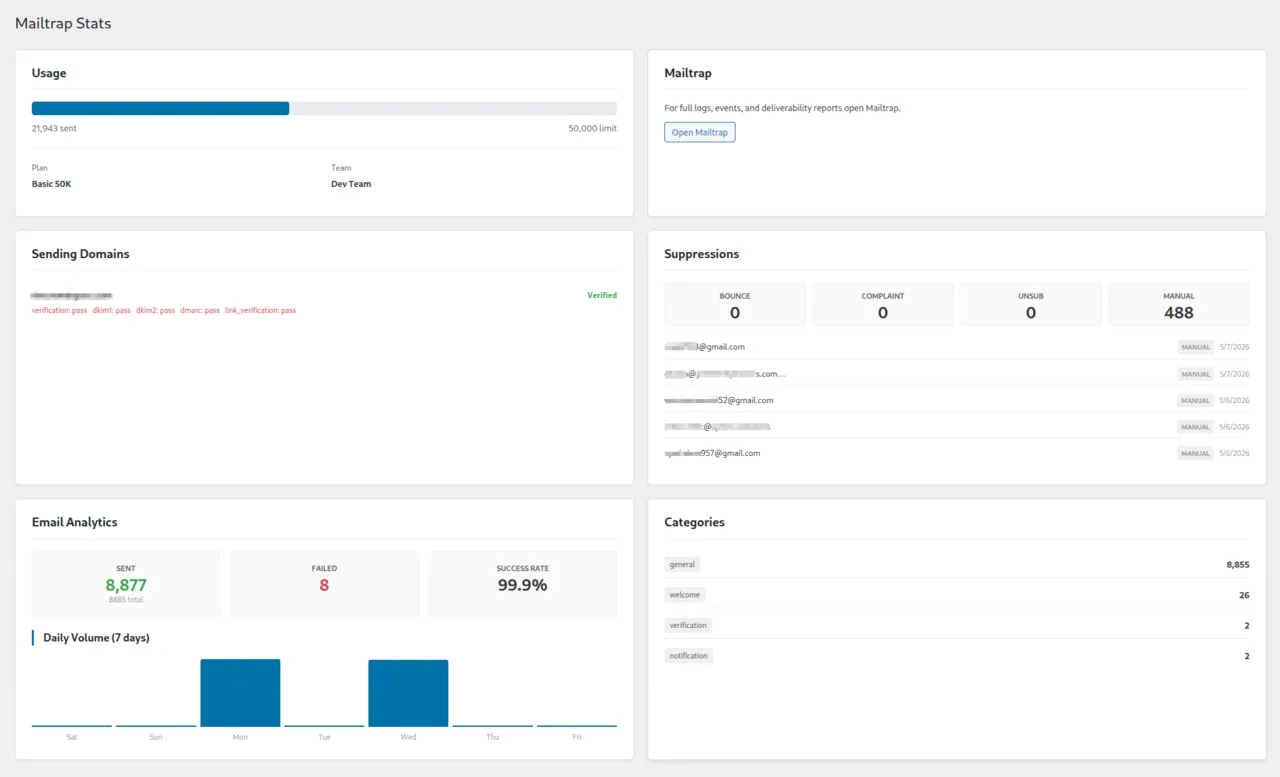
Stats page surfaces your live suppression list (bounces, complaints, unsubscribes) directly in WP-admin so you can react before more sends fail.
Replaces `wp_mail()` so Contact Form 7, WooCommerce, Gravity Forms, and any other plugin that sends mail use Mailtrap automatically. No per-plugin configuration.
## screenshots
— from wp-admin #screenshots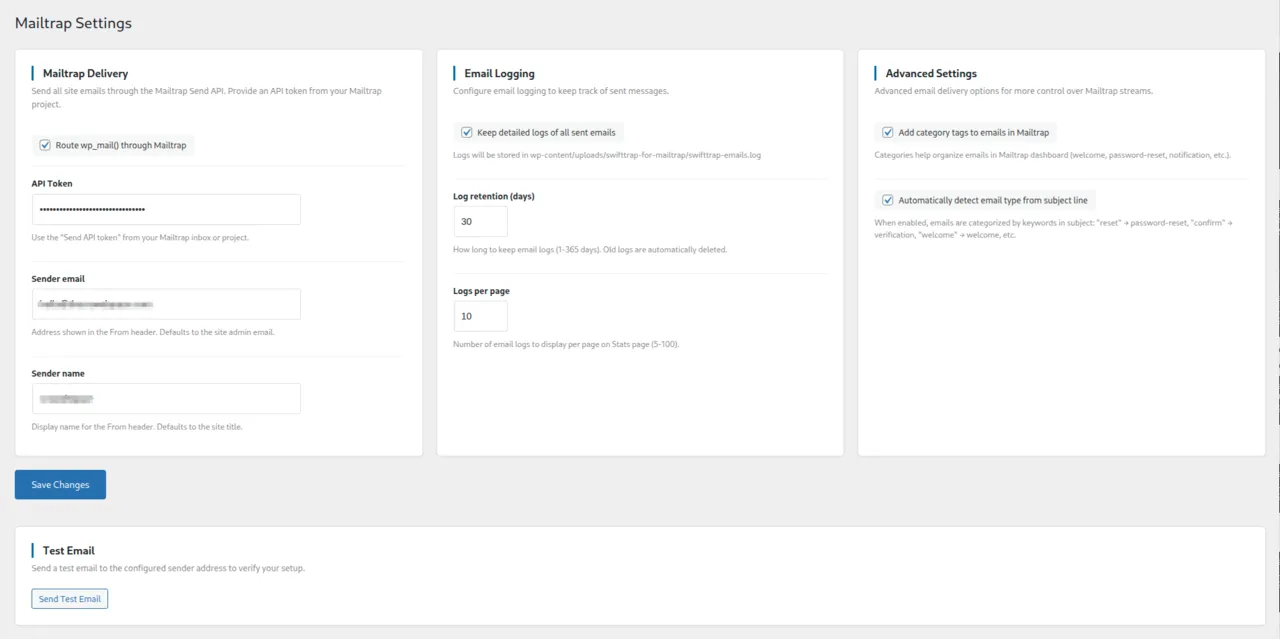

## overview
— long form #overviewMost “Mailtrap WordPress” tutorials end with the same instruction: install WP Mail SMTP, paste your Mailtrap SMTP credentials, done. That works — but it leaves money on the table. Mailtrap’s HTTP Send API exposes features the SMTP gateway cannot: bulk vs transactional stream routing, automatic email categorization, custom tracking variables, template UUIDs, and a live view of your suppression list (bounces, complaints, unsubscribes) right in the dashboard.
SwiftTrap is purpose-built for Mailtrap. It replaces wp_mail() with a thin wrapper around send.api.mailtrap.io and bulk.api.mailtrap.io, so every plugin that sends email — Contact Form 7, WooCommerce, your custom code — automatically gets stream routing and categorization. The plugin uses the WordPress HTTP API directly (no Mailtrap PHP SDK), keeping the total weight at around 30 KB.
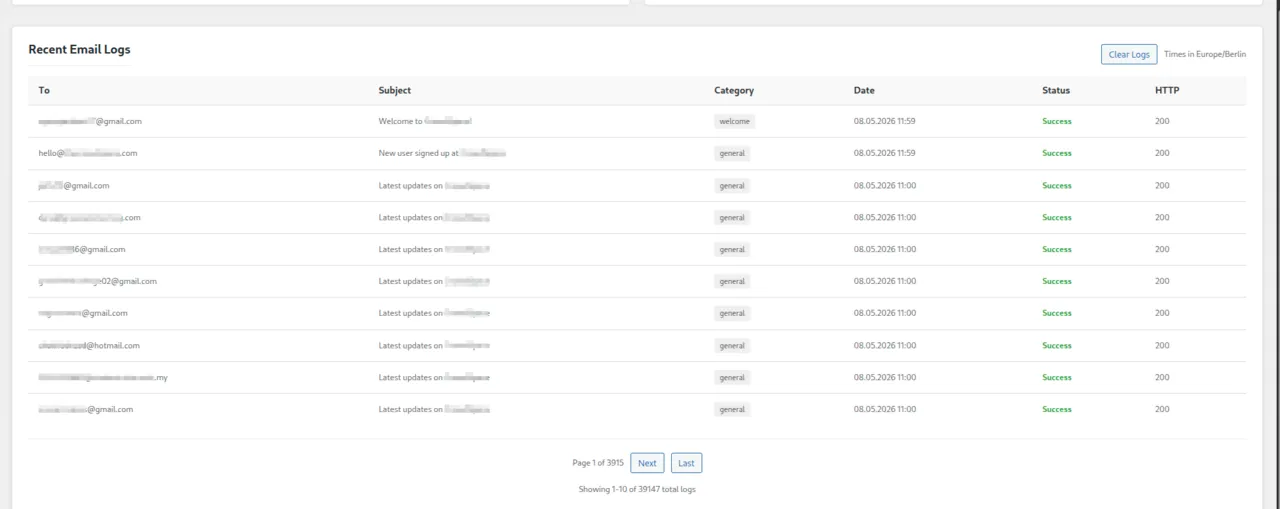
The Stats page surfaces what matters: domain verification status, sending volume, and the live suppression list so you can spot deliverability issues before they cascade. Email logs are stored locally with configurable retention. There’s a one-click test email button on the settings page that hits the actual API — not a simulated send.
If you might switch providers, a generic SMTP plugin like WP Mail SMTP or Post SMTP is the right choice. If you’re committed to Mailtrap and want every feature it offers, SwiftTrap is the native client.
## install
— three options #install- via WordPress admin: Plugins → Add New → "SwiftTrap for Mailtrap"
- via WP-CLI:
# install & activate
wp plugin install swifttrap-for-mailtrap --activate
## faq
— things people ask #faqQ. Why use SwiftTrap instead of WP Mail SMTP or Post SMTP with Mailtrap credentials?
WP Mail SMTP and Post SMTP route through Mailtrap's SMTP gateway and treat Mailtrap as just another SMTP host. SwiftTrap uses Mailtrap's HTTP Send API, which exposes features SMTP cannot: bulk vs transactional stream routing, categories, custom tracking variables, template UUIDs, and live suppression-list visibility. Use SwiftTrap if you want Mailtrap-native behavior; use a generic SMTP plugin if you need a one-config-fits-all-providers setup.
Q. Does it support Mailtrap email templates?
Yes — use the `swifttrap_mailtrap_template` filter to send via a `template_uuid`. Template variables can be passed through Mailtrap’s standard template-variables payload.
Q. How does bulk stream routing work?
By default, marketing/promotional categories route to `bulk.api.mailtrap.io` and everything else to `send.api.mailtrap.io`. Override per-message with the `swifttrap_mailtrap_use_bulk_stream` filter — useful for batch newsletters from a custom plugin.
Q. Where do I get my API token?
Log in to mailtrap.io, open your sending domain, go to API Tokens, and create a token with sending permissions.
Q. What happens if I disable the plugin or remove the token?
WordPress falls back to its default `wp_mail()` handler. No emails are silently dropped.
Q. Does the plugin require the Mailtrap PHP SDK?
No. SwiftTrap calls the Mailtrap REST API directly via the WordPress HTTP API. Total plugin size is around 30 KB.
Q. What data is sent externally?
Email data (recipients, subject, body, attachments) goes to `send.api.mailtrap.io` and `bulk.api.mailtrap.io`. Account stats are fetched from `mailtrap.io/api/accounts`.
Q. Is there an attachment size limit?
Yes — 25 MB per email (matches Mailtrap's API limit).
## support
— how to reach us #support- email ····· hello@symonov.com
- wp.org ···· support forum
- github ···· file an issue
avg response time: ~ 12h on weekdays, slower on weekends.